How the Control Centre works.
What the platform does today, what is in development, and how it handles your Google data.
CogniScale is a transformation consultancy. Formula AI Control Centre is our software platform for organising AI work and supporting teams with AI co-CEOs and Connected Colleagues.
Guide updated 1 October 2026. It states what is available now and what is in development.
Formula AI
Control Centre
A platform by CogniScale
THE GUIDE IN ONE LINEEveryone gets a co-CEO: a colleague that knows their work and gets it done, while they stay in charge.
What Formula AI Control Centre does
Everyone gets a co-CEO. The Formula AI Control Centre gives each person in an organisation their own AI co-CEO. It knows their goals, their inbox, their diary and their meetings. It sets out the day, drafts what needs doing and works alongside Connected Colleagues: specialists each person creates for the tasks they repeat.
The co-CEO and Connected Colleagues run on Claude today, through the organisation's own paid Claude subscription. Agents and skills that teams have already built in Claude, ChatGPT, Microsoft Copilot or Gemini can be registered in the same place, with their owners, their review status and the value they report.
What is available now, and what is in development
Position as at 1 October 2026
Formula AI Control Centre is in early access for Mac and Windows users working with Google Workspace or Microsoft 365. We are opening the platform for free test drives once the final security approvals from Google and Microsoft are in place, which we expect in October 2026. Register your interest and we will confirm your setup before you start.
Your AI co-CEO and Connected Colleagues run on Claude today, working through Claude Code on your computer and using your organisation's eligible paid Claude subscription, normally a Team or Enterprise plan. Support for other AI providers, and for CogniScale-supplied AI usage so that people without a Claude subscription can take part, is in development and is not part of the current release.
If your organisation uses Microsoft, talk to us about your requirements.
Available now
- Mac, with Google Workspace connections: Gmail, Google Calendar and Google Drive.
- Windows, and Microsoft 365 connections such as Outlook, Teams and SharePoint.
- An AI co-CEO running on Claude Code with your paid Claude subscription.
- Connected Colleagues you create and launch yourself, with saved sessions you can reopen.
- Gmail: find, read and summarise messages, save draft replies for your review and send messages when you ask.
- Google Calendar: read your meetings, prepare briefings and create the events you ask for.
- Google Drive: create, read and update documents, spreadsheets and files selected for the application or created through it.
- Register agents, projects and skills; shared and private skills library; Team Pulse and ROI reporting.
In development
- Other AI providers and agent engines, including Codex and the Goose-based CogniScale Agent.
- CogniScale-supplied, API-billed AI usage, so people without a Claude subscription can take part, and lower-cost and open-weight models for routine execution.
- Workspace Brain: organisation-wide business knowledge from agreed sources, set up with CogniScale as an optional paid service. Its organisation-wide reading of Google Workspace is separate from the personal connections listed on the left.
- Updating or rescheduling calendar events. Today the co-CEO reads your calendar and creates events; it does not change existing ones.
Connecting your Google account
Formula AI Control Centre is operated by Network Sunday Global Limited, trading as CogniScale. Our Google application is registered under the name CogniScale.
Where enabled for your organisation, you can connect Gmail, Google Calendar and Google Drive to help your AI colleague work with the information you authorise it to access.
- Gmail: find, read and summarise messages, save draft replies for your review and send messages when you ask.
- Google Calendar: read your meetings, prepare briefings and create the events you ask for.
- Google Drive: create, read and update documents, spreadsheets and files selected for the application or created through it.
Connections are optional and depend on the permissions granted and your organisation’s configuration. The standard Drive connection does not grant access to your entire Drive. Relevant content can be processed by the AI service used for your task. Saved outputs and Workspace Brain knowledge need their own retention and access controls.
Read our privacy notice before connecting. It explains Google-data access, AI processing, storage, sharing and how to revoke access or request deletion. Connecting an account is not permission to share all of its contents with your colleagues.
Trials are arranged with our team. Contact [email protected] to discuss access.
Your co-CEO sets out the day.
Each person's co-CEO is their principal working partner. It prepares a briefing on what needs their attention, reads and summarises email, drafts replies for review and prepares for the meetings in the diary.
It can open separate sessions to work through a plan, a proposal or a decision, and each session is saved so the work can resume later. When a task recurs, the co-CEO helps the person create a Connected Colleague to take it on.

- Needs you todayTwo client replies are waiting, with drafts ready for your review.
- Your meetingsBoard call at 14:00. The briefing pack is prepared.
- Ready to reviewThe proposal you asked for yesterday is in your Drive.

A specialist for every task you repeat.
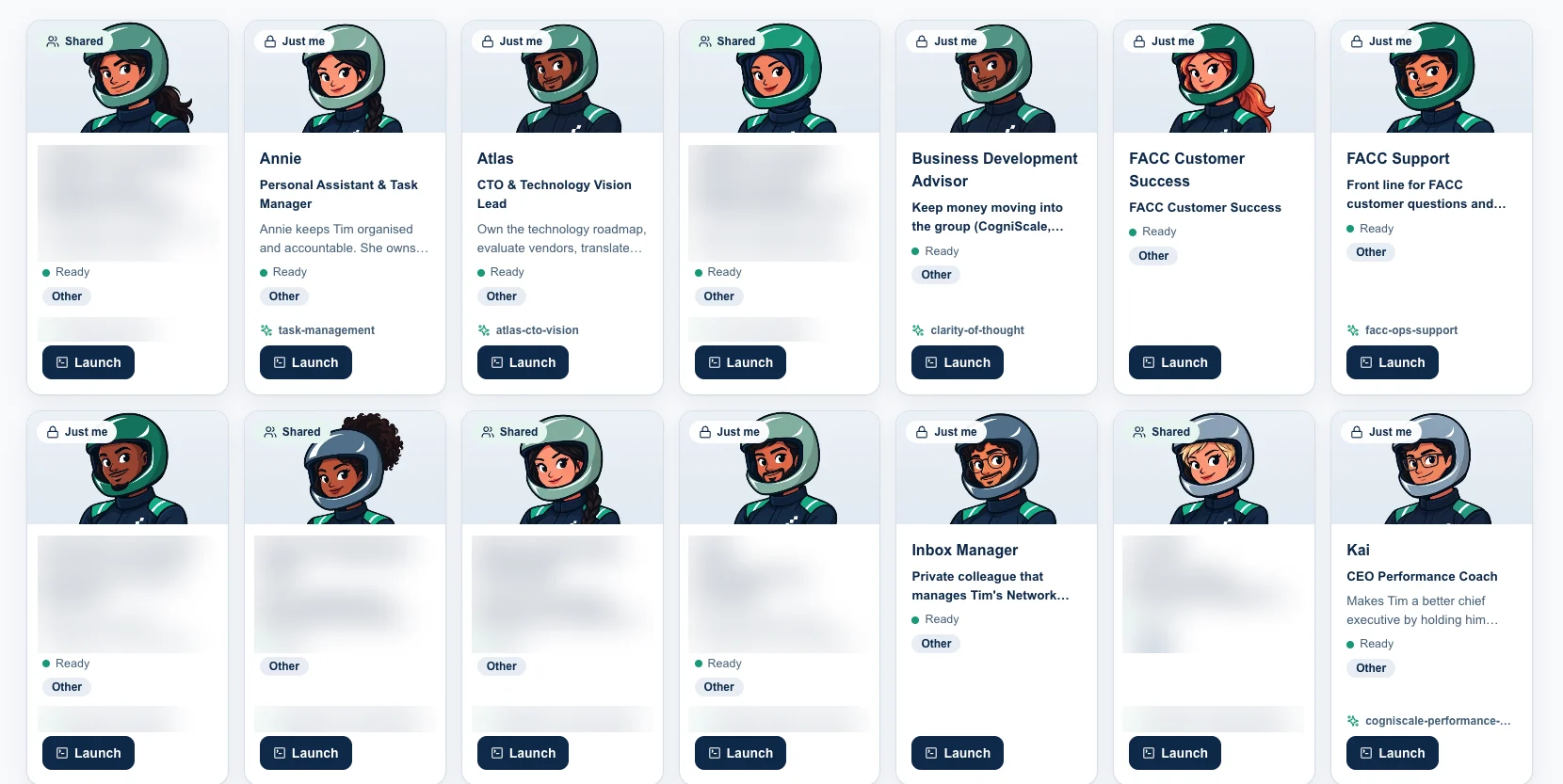
Each person shapes their own Connected Colleagues around their role, goals, tasks, skills and approved context. The co-CEO remains the principal point of contact for everyday judgement and coordination, while each Connected Colleague concentrates on one area: sales, research, finance, delivery or another recurring task.
Defined in a conversation
The co-CEO interviews the person about the role, and the answers become the colleague's written brief.
Memory and skills
Context carries across sessions where supported and approved, and colleagues use the organisation's skills.
Several at once
Multiple sessions can run at the same time where the chosen Claude plan supports it.
Saved sessions
Active, paused and idle work is visible, and any session can be reopened and continued.
The documents your team already creates.
Connected Colleagues use approved skills, brand guidance and working context to prepare the material a team produces every week, in its own formats.

Context that stays current.
Organisational intelligence is a permission-aware understanding of the organisation that helps people and AI colleagues know what matters without being briefed from scratch. It has three layers: approved connected systems, the shared Workspace Brain and the private Personal Brain. Clear rules decide which source an agent may use for each person, role and task, and it never means unrestricted monitoring.

Connected systems
Today this means Gmail, Google Calendar and Google Drive, and Microsoft 365: Outlook, Teams and SharePoint. Other systems such as document stores, Slack, GitHub, CRM, Zoom or knowledge bases can be connected through MCP or other supported connectors where a deployment supports them. Access is configured per use case, under approved identities and subject to client policy.
Workspace Brain
Set up with CogniScale as an optional paid service, Workspace Brain will read the sources the organisation agrees, such as meeting transcripts, email, calendar and documents, with further sources planned. Scheduled processes identify approved knowledge about clients, projects, decisions, commitments and recent developments, then keep that context available to authorised people and agents. Organisation-wide reading of Google Workspace for the Workspace Brain is in development and is separate from the personal Gmail, Calendar and Drive connections described above.
The organisation decides which sources are read, what derived knowledge is kept, where it is stored, who may use it, how often it refreshes and how it is corrected or deleted. Source systems remain the systems of record, and the Workspace Brain keeps curated context without copying the organisation's information estate.
Personal Brain
Each user's private working space on their own machine: personal notes, drafts, private skills and role-specific context. It is private by design, and shared organisational knowledge stays separate.
A skills library for the whole team.
Skills are reusable instructions, standards and examples that agents or users can call on: drafting style, research methodology, sales playbook, financial analysis, brand rules, meeting preparation or client delivery process. They turn individual know-how into shared organisational capability.
Shared skills
Approved by the organisation, available to relevant users and agents, and tracked so the team can see which skills are being used and improved.
Private skills
Personal working patterns and craft can start privately. When a skill becomes reliable and ready for others, it can be promoted into the shared library.
One library for people and colleagues
Connected Colleagues use the same skills library, including the skills a team creates during PLAN · BUILD · SCALE.
Register the AI your team has already built.
Claude, ChatGPT, Microsoft Copilot and Gemini give people direct access to powerful AI. The Control Centre gives the organisation one place to see the agents and skills built in those tools: what exists, who owns it, what value it creates and where adoption should grow next.
One registry for agents, projects and skills
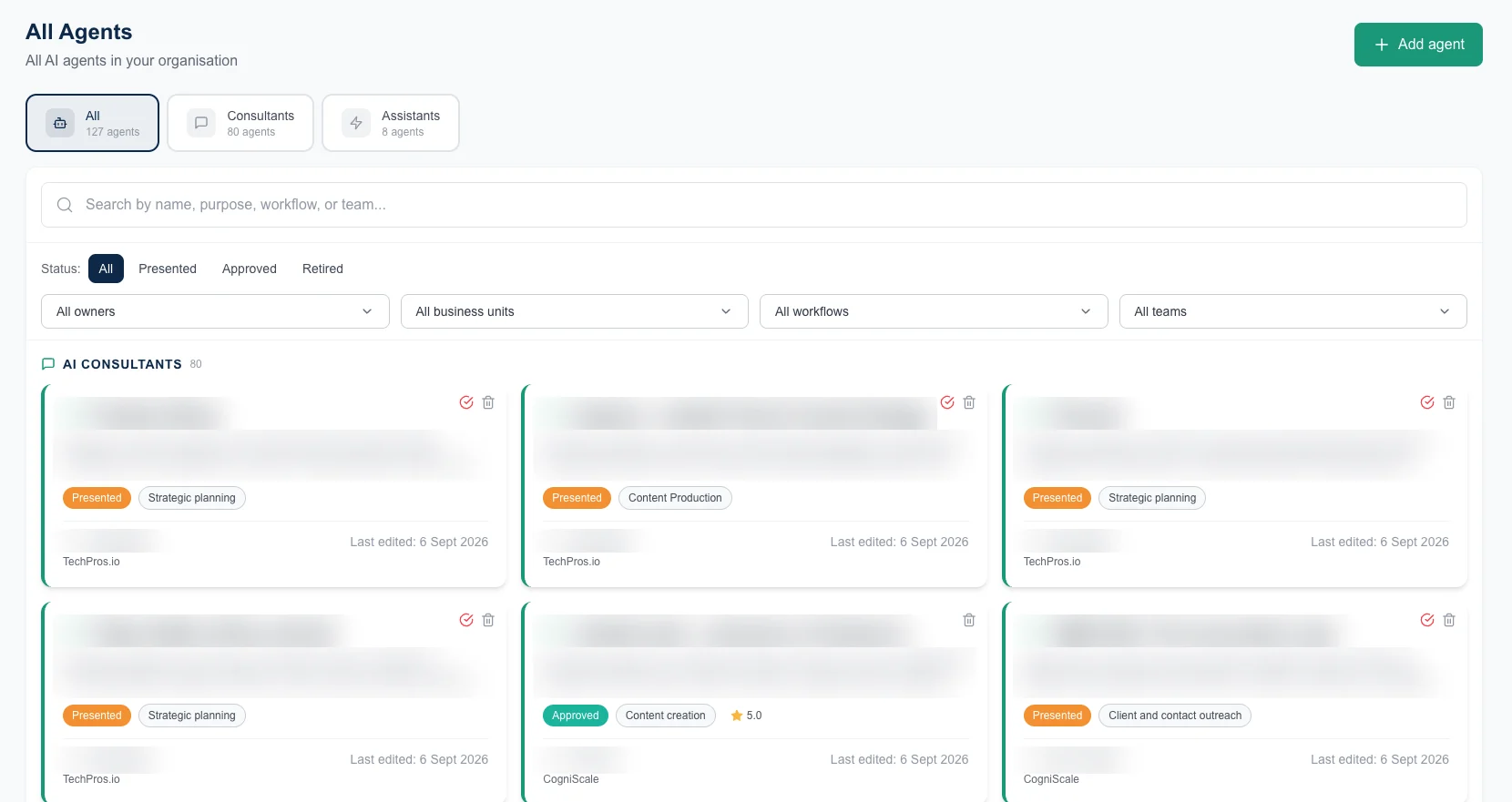
Claude Projects, Custom GPTs, Microsoft Copilot agents, Google Gems and other browser-hosted tools can be registered with purpose, owner, business unit, workflow, link and review status.
- Search and filter by owner, team or workflow
- Owner, review status and last-edited date on every card
- A four-stage lifecycle: presented, approved, in review, retired, with a default 90-day review
How people feel about AI
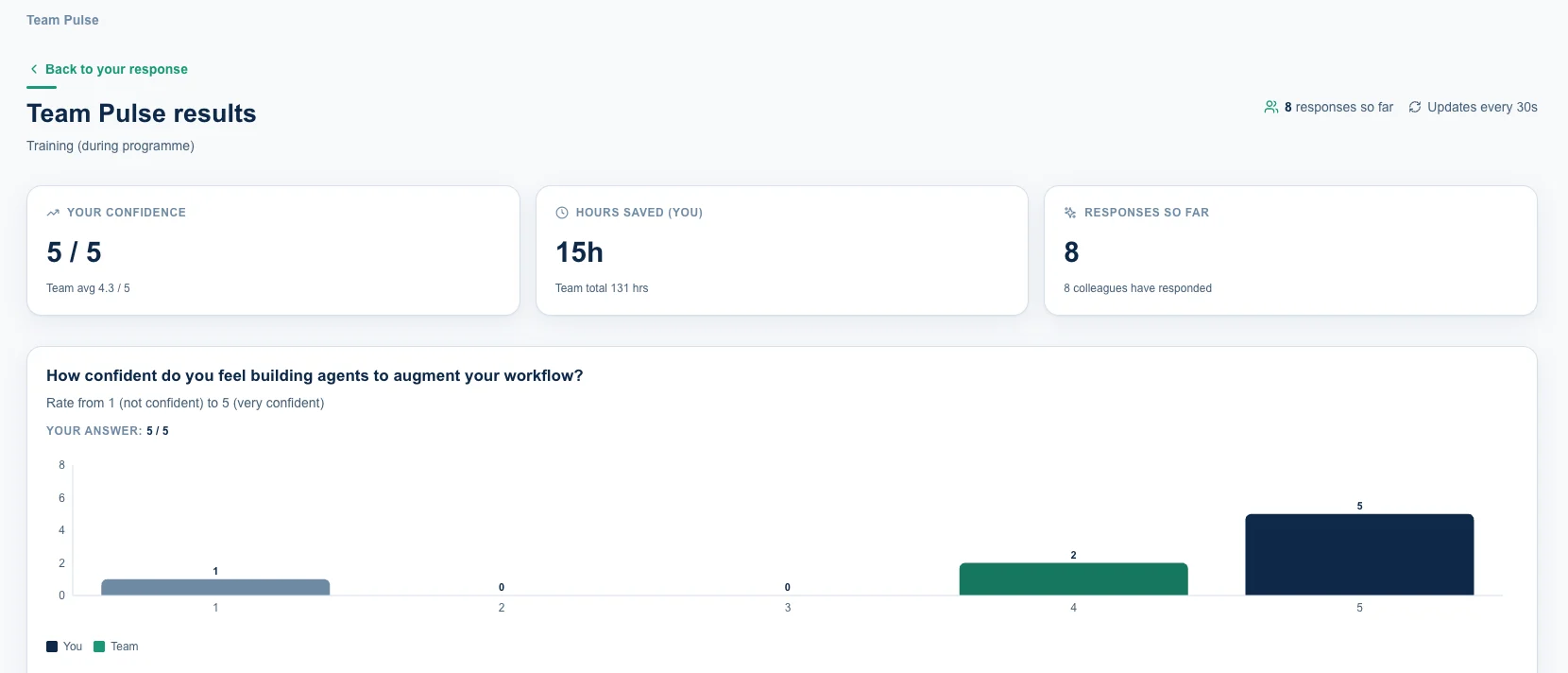
Short surveys after upskilling capture confidence, adoption, time saved and where people need support.
- Confidence in the tools and in how roles are changing
- Everyday AI hours saved per person, carried into the ROI report
- A light rhythm of responses every two months
Evidence for the board
Time savings, confidence, adoption evidence and value assumptions build a grounded picture of what AI is changing.
- Registered agents and hours saved each year
- Estimated annual value and return
- How people are reinvesting the time
Also included: an AI usage policy every team member can read in one place; issue tracking, with each issue logged against the agent and routed to its owner; an overview of the connectors and knowledge sources in use; and a personal view of each person's agents, issues, upcoming reviews and time saved.
You stay in charge.
The co-CEO and Connected Colleagues work within the access each person and their organisation grant. Administrators can see each person's connection to the Control Centre: whether it is healthy, what is running and any errors.
It sees only what you can see
Your co-CEO works with the accounts you connect and the information you authorise it to access.
It uses only approved access
Connections follow the permissions your IT team approves for your organisation.
There is a record
Sessions are saved, so there is a record of what each colleague did.
You bring your own AI licence
You pay your AI provider directly and keep full control of that spend.
For regulated industries and enterprise deployments, additional controls such as agent and user identity, tool-call visibility, data-scope controls, policy enforcement, detailed audit records or isolated infrastructure can be designed following technical, security and commercial assessment. Availability depends on the selected runtime, infrastructure, connected systems and client deployment; not every control is included in the standard platform. Visit the Trust Centre.
Which AI it runs on.
Today the co-CEO and Connected Colleagues run on Claude Code, using your organisation's paid Claude subscription for interactive work, review, analysis and everyday tasks.
CogniScale-supplied, API-billed execution is in development for work that cannot run through a person's Claude subscription, such as scheduled or background work, and for people who do not hold a Claude subscription. It is not part of the current release.
The organisation will agree which models, providers, hosting regions and budgets are permitted. Usage and attribution will be recorded against the relevant user, team or workflow.
Alongside the AI tools you already use.
Copilot, Claude, ChatGPT and Gemini give people direct access to powerful AI. The Control Centre adds the organisational layer around them.
AI tools and agent engines
Claude, ChatGPT, Copilot, Gemini and other approved AI tools. Today, Claude Code is the supported engine for co-CEOs and Connected Colleagues. In development: the Goose-based CogniScale Agent, built to support governed execution across approved frontier, specialist and lower-cost models. Planned: Codex and additional approved agent engines.
Formula AI Control Centre
AI co-CEOs, Connected Colleagues, shareable skills, organisational intelligence, approved provider options, cost visibility, governance and reporting.
Business outcomes
Visible value, governed agents, reusable know-how, human review, lower cost leakage, faster decisions and less dependence on any one vendor.
Why not use one vendor for everything?
Many organisations do. When agents, skills, memory, workflow logic and value evidence all sit inside one vendor's products, the organisation's operating model comes to depend on that vendor. The Control Centre keeps the organisational layer portable, so model providers remain suppliers to the business.
Why not use Claude Code on its own?
Claude Code is a powerful agent engine, normally used by one person within an individual session or project. The Control Centre uses it as the execution engine and adds the organisational layer around it: an AI co-CEO, specialist Connected Colleagues, organisational intelligence, approved system access, and evidence of cost and value. The intelligence comes from Claude Code; the organisational system around it comes from the Control Centre.
Why not use Copilot or Copilot Studio?
Copilot and Copilot Studio can be valuable where Microsoft is the organisation's chosen AI environment. The Control Centre works at a different level: it gives every person an AI co-CEO, adds organisational intelligence from across the organisation and coordinates Connected Colleagues that carry multi-step work through an approved agent engine. Agents and skills built in Microsoft can still be registered and governed in the Control Centre, and the organisation's roles, knowledge, skills and value evidence stay independent of any one vendor.
Start with a free test drive.
CogniScale sets up your organisation and invites your admin users. We are opening free test drives in the coming weeks, and each one follows the same steps. Organisations that have already built agents or skills in other tools can register them at any point.

- 01Register your interestTell us which computer and business systems you use, and the first task you have in mind.
- 02We confirm your setupWe check which connections are ready for you before you start.
- 03Install the CogniScale HelperInstall the application on your Mac or Windows computer and sign in with your paid Claude subscription.
- 04Connect Google Workspace or Microsoft 365Connect Gmail, Google Calendar and Google Drive, or Outlook, Teams and SharePoint, and review each permission before you agree.
- 05Create your first Connected ColleagueYour co-CEO guides you through it in a short conversation.
- 06Tell us how it wentWe ask for your feedback, then discuss the options for continuing.
Terms used in this guide
- AI co-CEO
- Each person's own AI working partner, and their principal point of contact in the Control Centre.
- Connected Colleague
- A role-based AI colleague configured to carry out defined tasks through approved knowledge, tools and systems.
- CogniScale Helper
- The application on your Mac or Windows computer that connects the Formula AI Control Centre to Claude Code.
- Skill
- A reusable set of instructions, standards and examples that helps a person or agent perform a particular kind of work.
- Agent engine
- The technology that allows an AI colleague to use tools, work across files and systems and carry multi-step work through to completion.
- API-billed execution
- Model or tool usage charged through an API, where it is not covered by an existing user licence.
This guide describes the Formula AI Control Centre as at 1 October 2026. Where it says “in development”, that capability is not part of the current release.